How to activate
Bought it? Sign in with the email you bought it with. No serial number needed.
Trying it? It's free for 14 days. Sign in, or make a free RTM account. No card needed.
Easiest: RTM HOME
The easiest way. RTM HOME activates every plug-in you own in one click.
- Get RTM HOME. It's free, for Mac and Windows.
- Open it and click Sign in. Your browser opens. Sign in with the email you bought it with.
- Back in RTM HOME, click Activate all. Not installed yet? Click Install on the plug-in first.
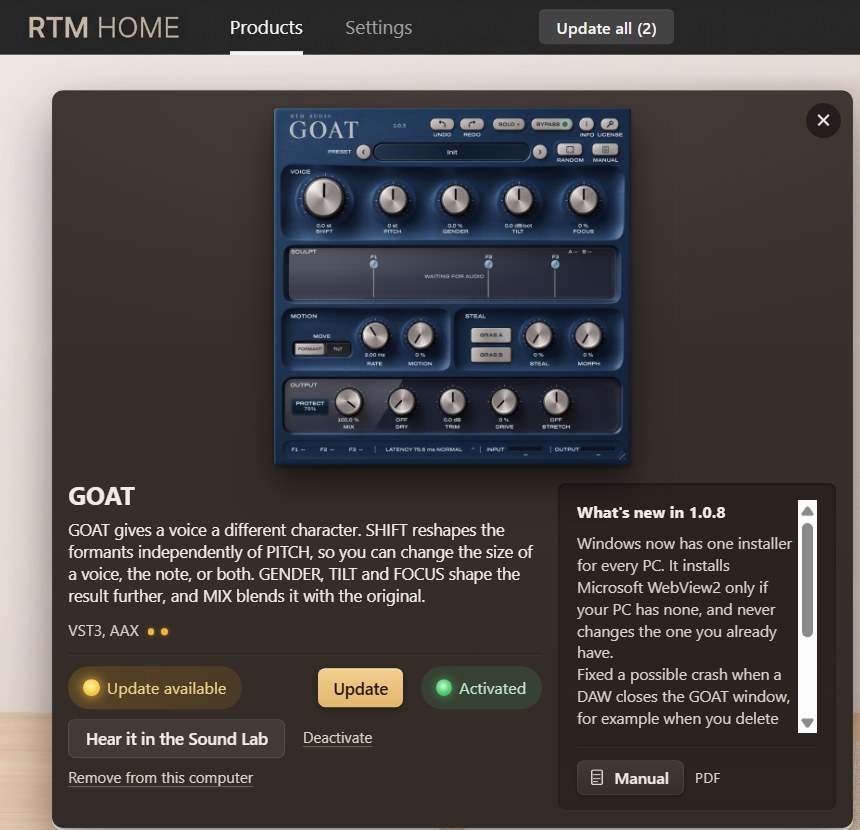
Or activate inside the ปลั๊กอิน
Trying a plug-in, or prefer not to use RTM HOME? Activate inside the plug-in.
Open the plug-in.
The activation window opens by itself. If it doesn't, click LICENSE on the plug-in.
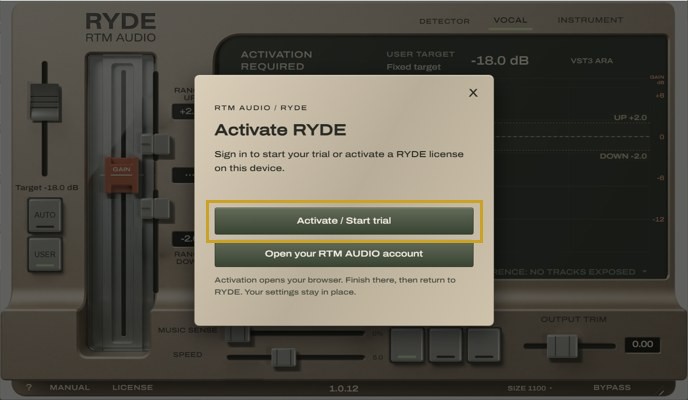
In your DAW, on Windows Click Activate.
Your browser opens our activation page.
Choose Option 2, Use license.
Bought it? Skip Option 1 (Purchase product). Under Option 2 (Use license), click Sign in. Trying it? Under Option 3 (Start trial), click Sign in.
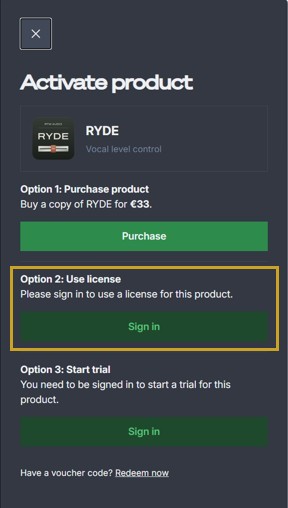
In your browser Sign in.
Bought it? Use the email you bought it with. No serial number needed. New to RTM? Make a free account. When the page says Done, you can close it.
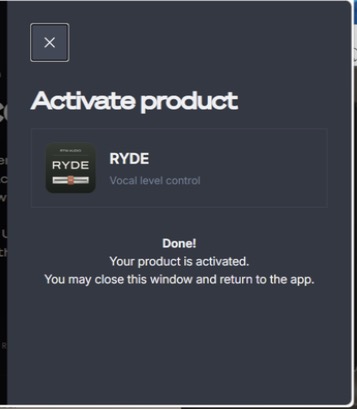
In your browser Go back to your DAW.
The plug-in unlocks by itself in a few seconds.
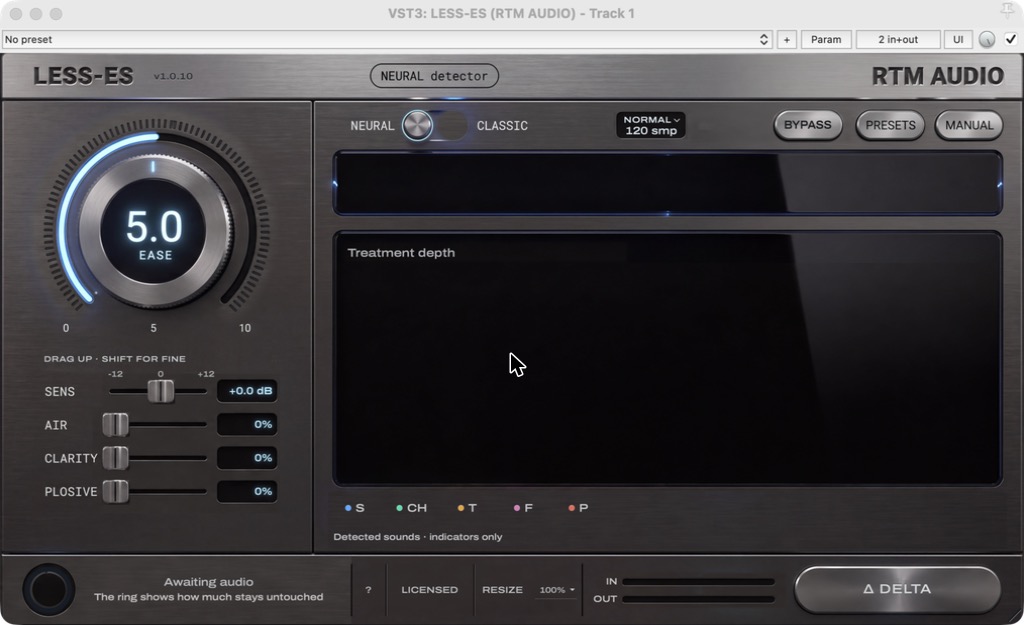
In your DAW, on a Mac
Every RTM AUDIO plug-in works this way. The window looks a little different in each one, and the button may say Activate, Activate online or Activate / Start trial.
If something goes wrong
No browser opened
Click Activate again in the plug-in. If it still doesn't open, check that your computer has a default browser, or activate with RTM HOME instead.
It asks you to buy, or says you own no licence
You're signed in with a different email. Sign out, then sign in with the email on your receipt.
All your activations are in use
Each licence works on 2 computers. Free one on your account page or in RTM HOME under Settings, Your devices, then click Activate again.
Do I need the internet?
Yes. Activation happens online, so your computer needs an internet connection to activate.
Still stuck?
Write to support@rtmaudio.com with your order number and the plug-in's name.